

Example HTML layouts and code
Below we have shared 4 examples of HTML email styles you could use along with a screenshot of how it looks and the code you need to download to paste into your editor.
Note: these are examples only and you can create any style of email you like using professional designers or AI. There are no limits to how you can style your emails – multiple columns, background colours, imagery, links etc.
These are designed to help provide a starting point and some inspiration and are helpful if you aren’t techie and don’t know where to start.
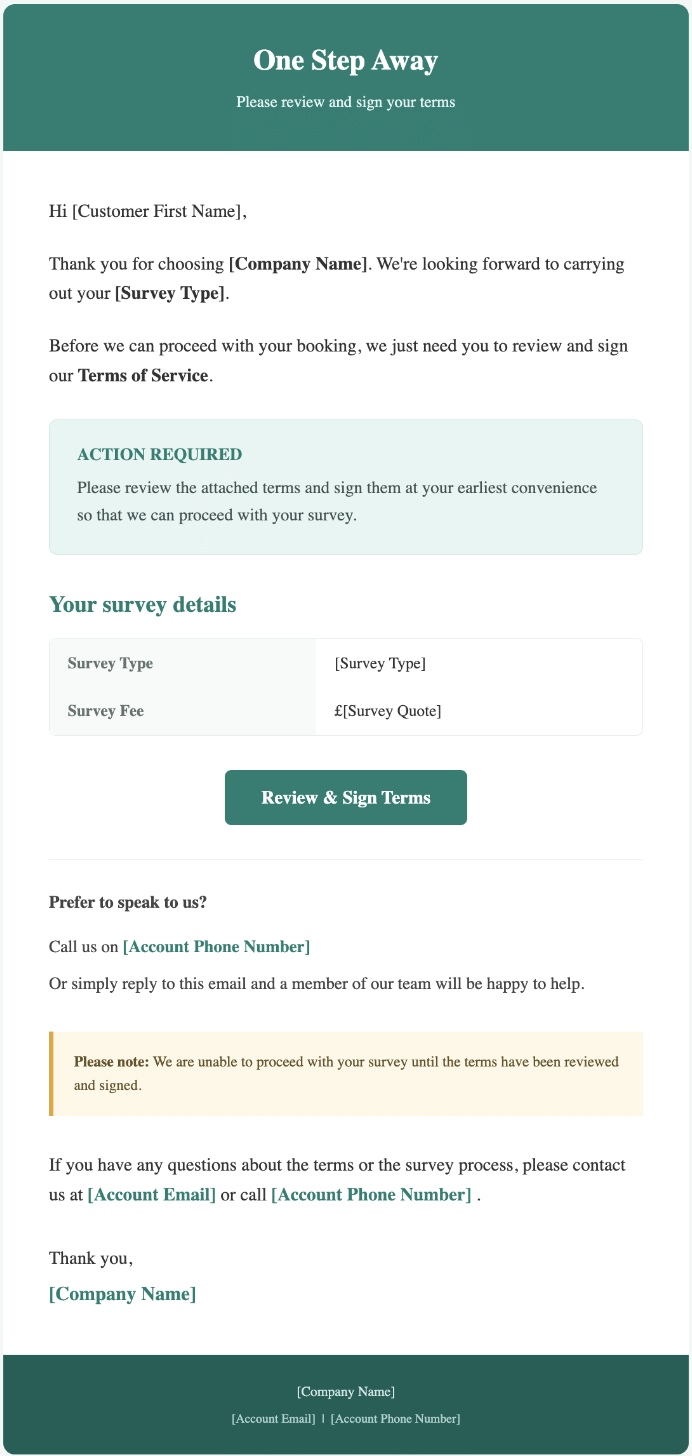
Example 1 - Modern and Professional
A modern, polished email template featuring a bold coloured header, clearly defined content sections and prominent call-to-action buttons. Designed to highlight important information, key details and required customer actions in an easy-to-follow format.
Best for: Surveying firms looking for a more structured, contemporary design that makes important information and next steps stand out.
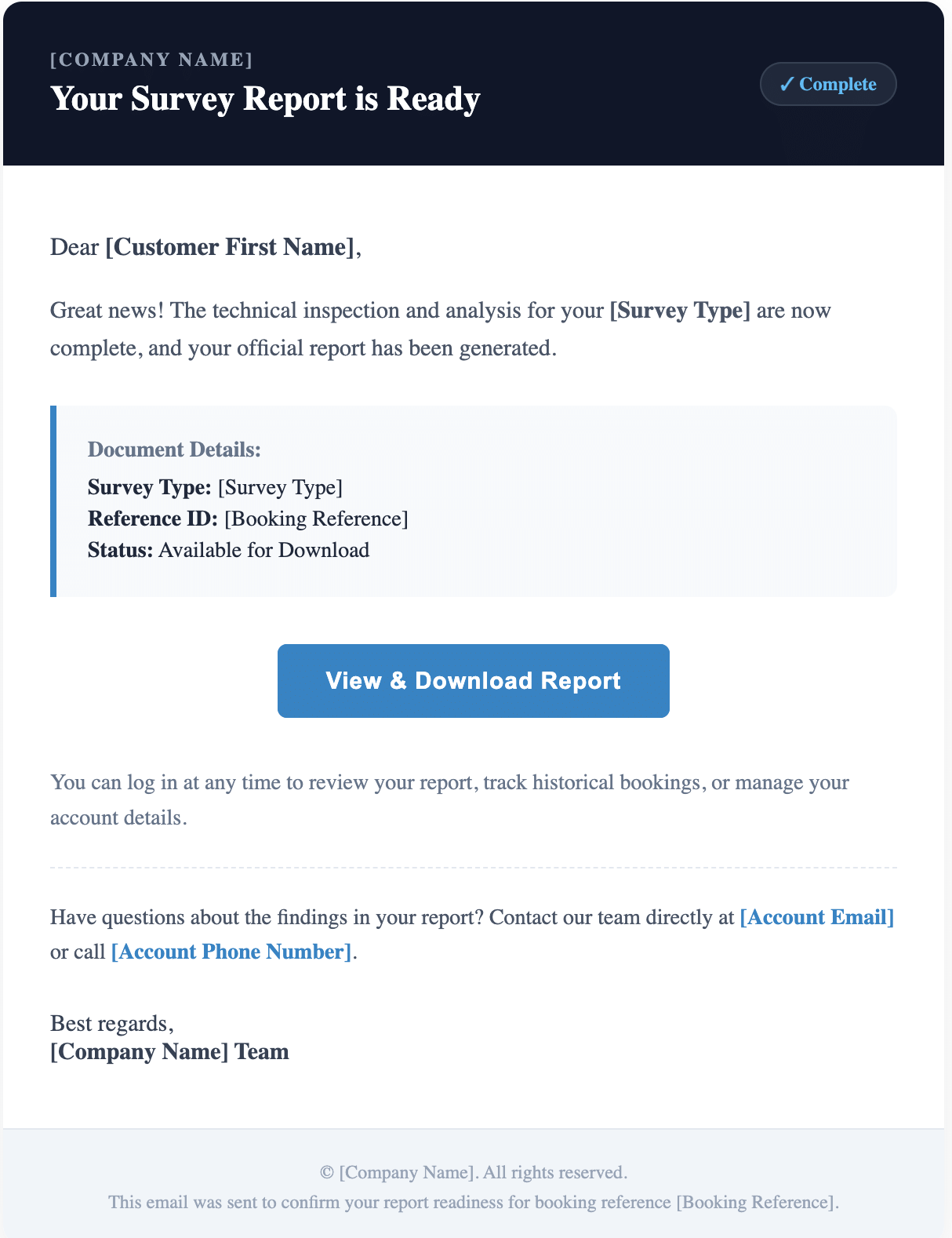
Example 2 - Premium Corporate
A sophisticated, professional email template featuring a dark branded header, contrasting accent colours and a structured layout. With highlighted information panels, status indicators and a prominent call-to-action button, it provides a polished way to communicate important updates to customers.
Best for: Surveying firms looking for a more premium, corporate appearance that communicates professionalism and builds customer confidence.
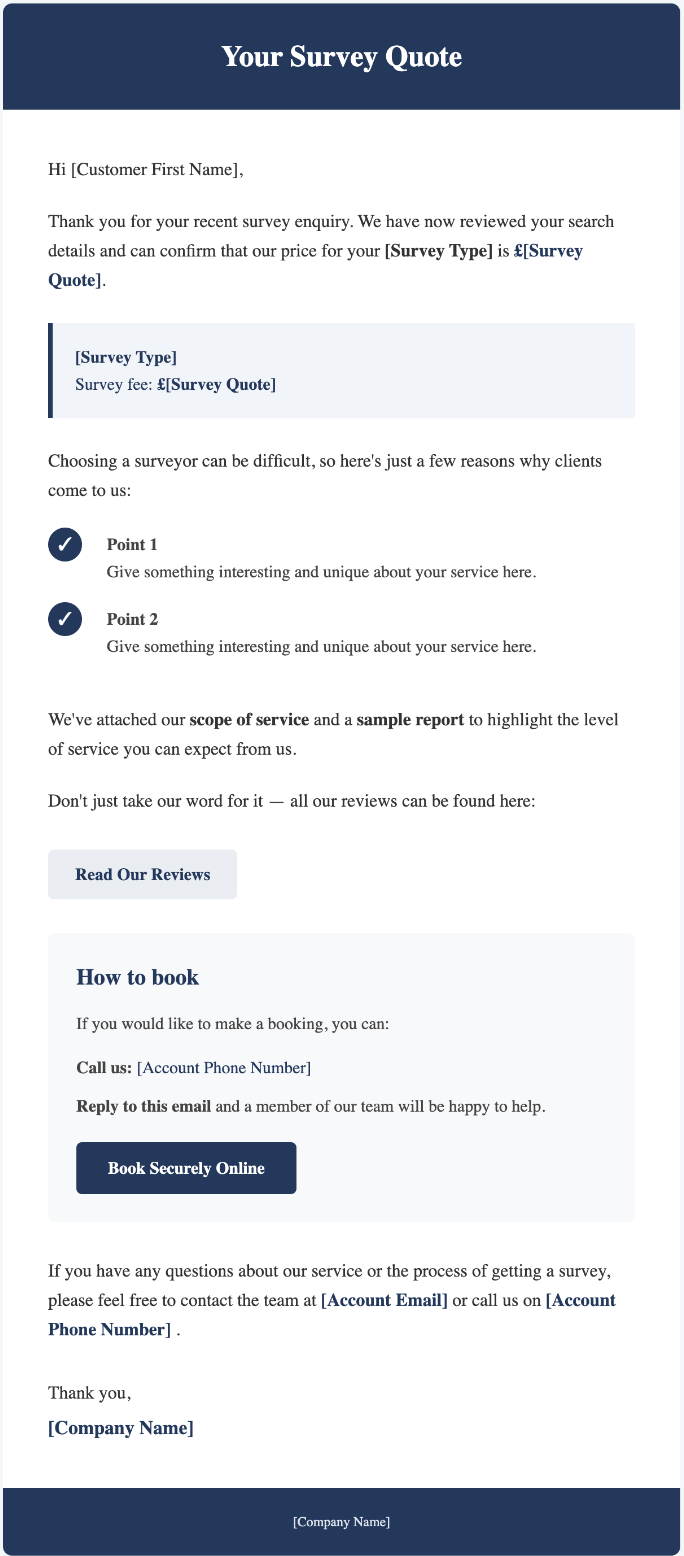
Example 3 - Sales & Conversion Focused
A professional, sales-focused email template designed to turn enquiries into confirmed bookings. Featuring a clear quote summary, dedicated sections for your unique selling points, customer reviews and booking options, it helps showcase the value of your services while making it easy for customers to take the next step.
Best for: Surveying firms looking to improve quote conversion by highlighting their value, building customer confidence and making the booking process straightforward.
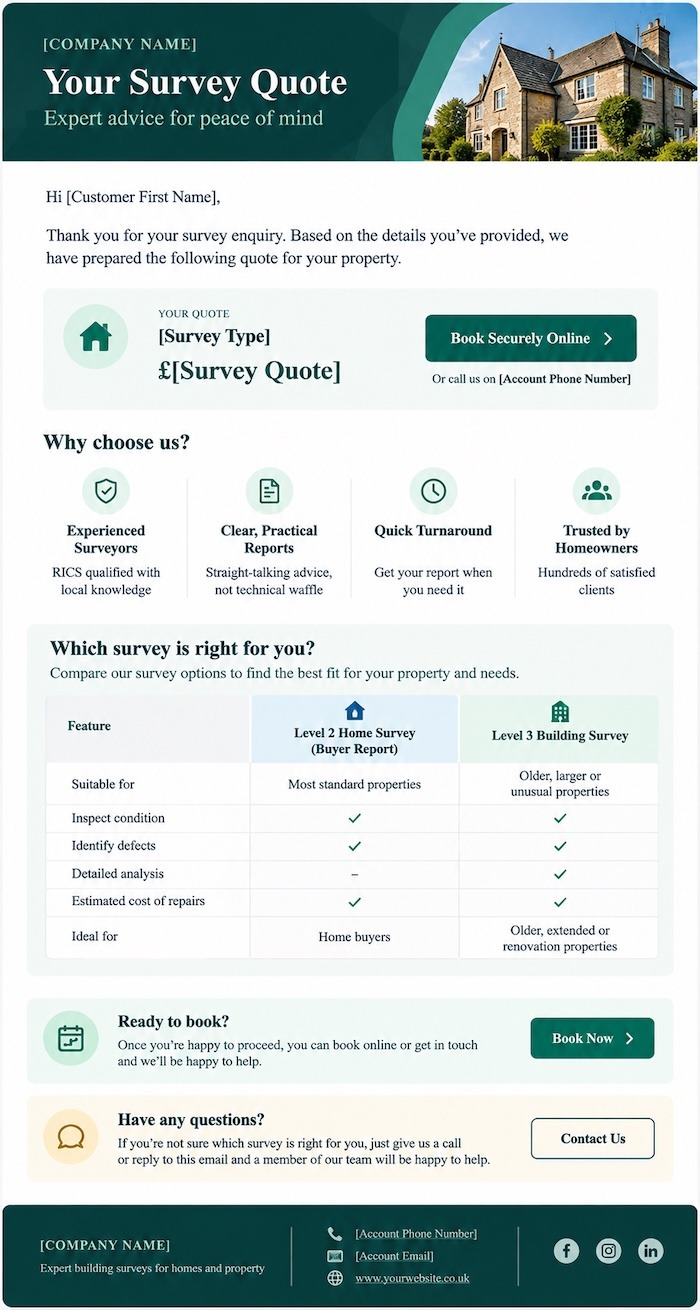
Example 4 - Premium Comparison & Showcase
A visually engaging email template featuring a coloured background, contrasting content sections, a service comparison table and prominent call-to-action buttons. Designed to showcase your services, communicate the benefits of different options and help customers make informed decisions.
Best for: Surveying firms wanting a more visually engaging, marketing-focused email that highlights their services and encourages customers to book.
How to customise these templates (manually or using AI)
These templates can be personalised with your company logo, brand colours and your own wording.
1. Change your company logo
- Upload your logo to your website or another publicly accessible location.
- Copy the direct URL of your logo image.
- Open the HTML template in a text editor and find the image URL (
src="...") used for the example logo. - Replace this with your own logo URL.
2. Change your brand colours
You can customise the background, header and text colours to match your company branding.
- Open the HTML template in a text editor.
- Look for colour codes such as
#002060(the example navy header background) and#153643(the dark blue text colour). - Replace these with your own HEX colour codes.
- Save your changes and preview the email to check everything looks right.
3. Customise the content
Update the example wording, selling points and headings to reflect your services and business. Keep any Survey Booker shortcodes or placeholders that you wish to use, as these automatically insert relevant information into your emails.
Prefer ChatGPT, Gemini etc to do it for you?
You don't need to know HTML to personalise your template!
Download the template's HTML text file, upload it to ChatGPT (or your chosen AI) and use the following prompt to customise the design for your business:
I've attached an HTML email template for use in Survey Booker.
Please customise the template to match my company branding.
My company details:
- Company name: [YOUR COMPANY NAME]
- Company logo URL: [YOUR LOGO URL]
- Primary brand colour (HEX): [YOUR COLOUR]
- Secondary brand colour (HEX): [YOUR COLOUR]
Please make the following changes:
- Replace the example logo URL with my company logo.
- Update the header, background, text and accent colours to complement my branding, ensuring good readability.
- Keep the existing email layout and structure.
- Preserve all Survey Booker shortcodes and placeholders exactly as written, including any square brackets.
- Keep the HTML compatible with common email clients, including Outlook and Gmail, using inline CSS where appropriate.
- Do not change the email wording unless I specifically ask you to.
- Return the complete updated HTML as a downloadable
.txtfile, ready for me to copy into Survey Booker.
Please briefly summarise the changes you've made.