
What is the Elmhurst integration?
The Elmhurst integration enables you to:
- Create Rdsap assessments ready for completion in Elmhurst, either manually, or automatically on booking appointments
- Post back the final document (Scotland only due to legal restrictions)
Adding your Elmhurst integration credentials
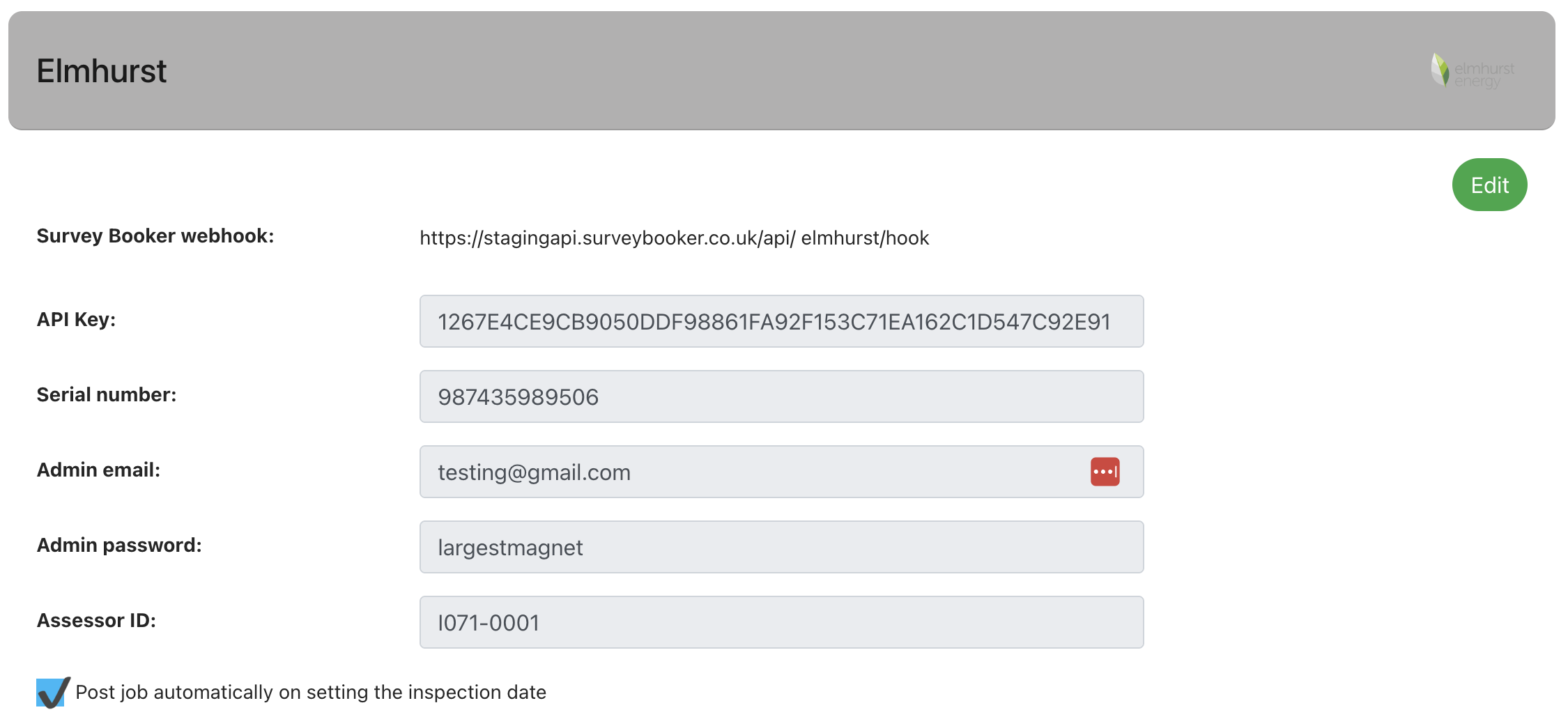
Navigate to Settings > Integrations > Report writing integrations > Elmhurst.
Expand the settings and input your credentials:
- API Key:
- Serial number: this is the serial number provided by Elmhurst
Set which job types the feed should be active for
Select which job types you would like to pair with this report writing tool and press “Save survey types”.
For multi-document reports, you need to select which job document is being paired with the template.

Retrieve departments and pair users
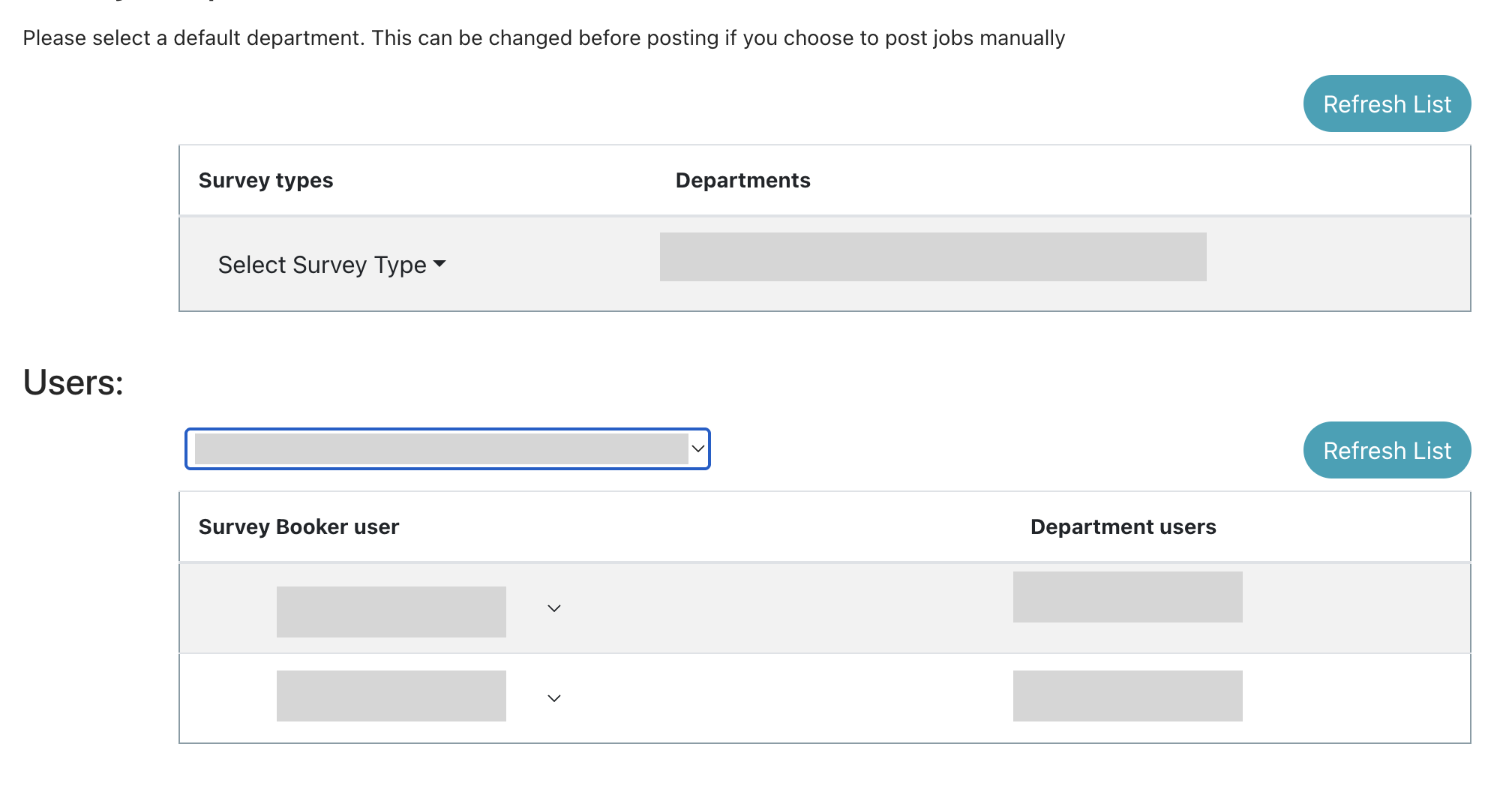
Press refresh – this will return a list of departments.
Select a department and select which job type it’s paired with.
In the user section, select a department from the dropdown and pair users from Survey Booker to users from that department.
Using the feed
Posting automatically – to create jobs automatically, ensure you have ticked this option in the settings above. If so, when booking the appointment, if the user is paired to an Elmhurst user in the settings, the job will be created in Elmhurst automatically.
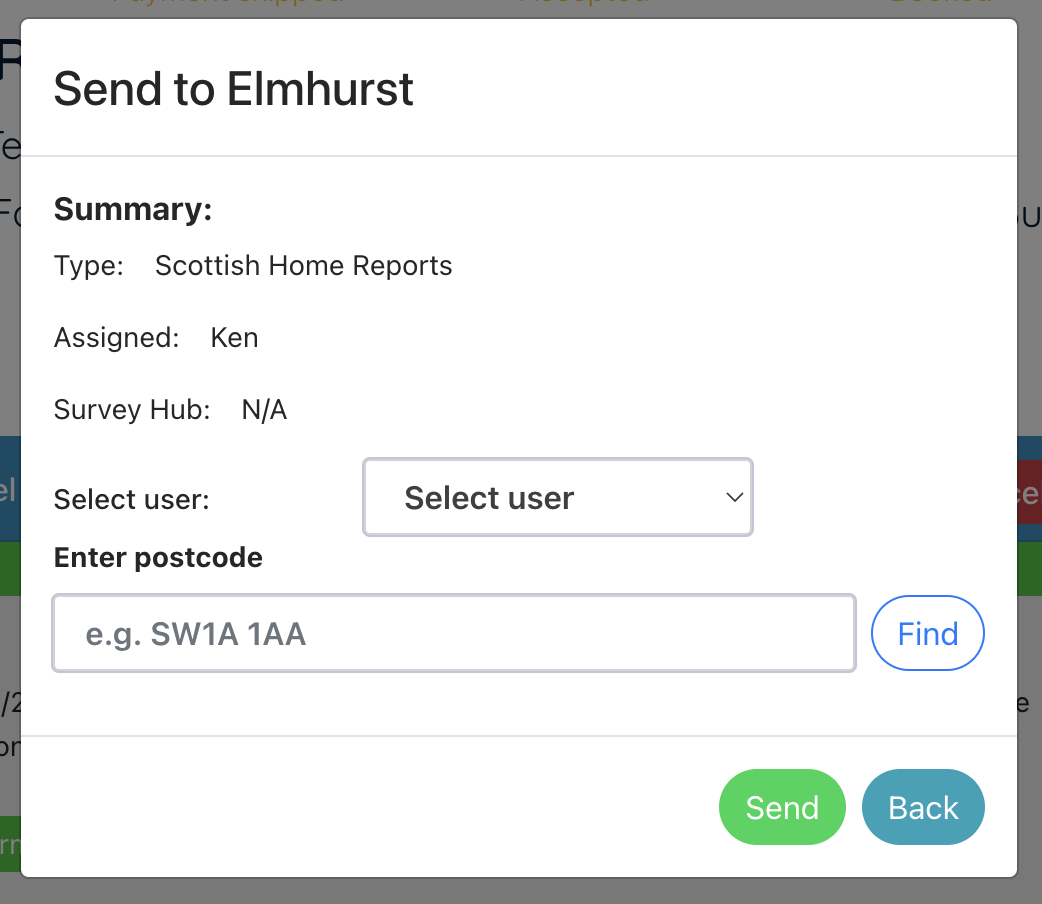
Posting manually – you can also manually post a job by clicking on the Elmhurst logo in the “What’s next” section header. This will load a pop-up where you can select a user and confirm the property address.
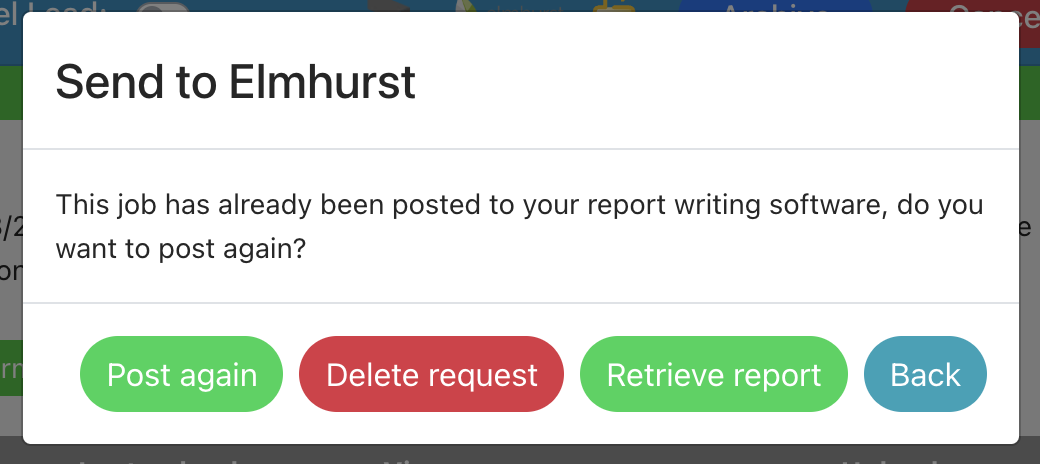
Removing the connection to a job to repost – if you need to delete the connection to a job in Elmhurst, click on the Elmhurst logo in the “What’s next” section header. Then select “Delete request” on the pop-up. You can then repost the job to create a new one. The old one won’t be linked to Survey Booker any more.
Retrieving reports
Please note, we can only retrieve EPC reports on Scottish properties currently.
Automatic retrieval – if you share your webhook and API key with Elmhurst, we can be notified when new EPCs are completed. We will then automatically look up the new EPC report and save it to the system. Please allow a couple of minutes for this process to run.
Manual retrieval – click on the Elmhurst logo in the “What’s next” section header. Then select “Retrieve report” to pull back the completed report (if available).
Troubleshooting
Posting jobs to Elmhurst: We can only create jobs for a property if the address is in the correct region for the departments you have set up.