

This update is to provide you with new ways to engage referral partners and manage your sales processes
Referrer mobile app
Postcode filter
Pricing management
Office 365 Connection
Duplicate flag
User notifications
Feature refinements
Referrer mobile app
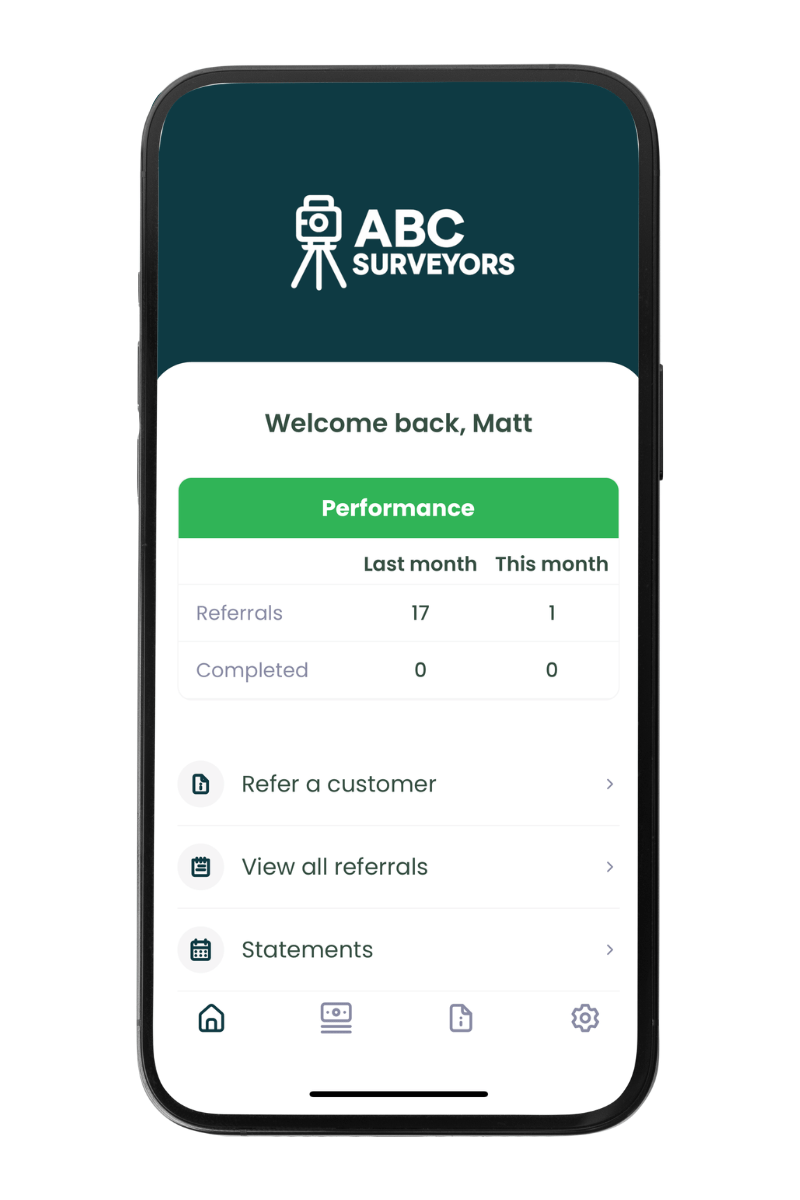
To support referrer engagement, we’re releasing our mobile app for referral partners.
Your referrers can download the app to:
- Share referrals on the go
- Track job updates on the move
- Access statements whenever they need
- Receive push notifications and email notifications
Designed to help your referral partners refer with ease and track updates in more ways to boost engagement and increase referral volumes.
Plans: Enterprise / bolt-on
Additional referrer features
Job notes: Referrers can now add notes to a job record via their portal and view notes that you’ve tagged them in.
What’s next section: the referrer portal now contains a “What’s next” section at the top of the page where you can set your own custom portal text to explain what is happening at each stage exactly like your customers have available in their portal.
Last month’s stats – the dashboard now shows both the current months referral stats and this months referral stats
Public report download link: a new page will be made available for each job to enable a report to be publicly downloaded. A user can enter their name and email address on this page to be sent a link to download the report. The input data can be viewed.
Plans: All
Postcode filter - target sales
We’re adding a new postcode filter to the quote/job table.
Postcode areas/districts can be selected to filter your data allowing you to focus your sales teams on the locations where your surveyor diaries are light.
This can be used with our table views feature, so you can set up table views for team members of priority focus areas.
Plans: All

Pricing management - track users discounting
This update introduces a number of updates:
- Fee suggestion: When changing job type, the system will check your pricing table for the fee saved. It will ask if you want to save this fee or edit this fee before saving.
- Price book reference: when a job is created, a note is added to the quote section showing what fee was saved and from which pricing table. This can be included in exports allowing you to report on how often the pricing table fee matches the final survey fee or where your team are discounting to win jobs. When changing job type, the fee will be updated to show the price for the relevant job type selected. This will be included in the GET API response.
This update is designed to make quoting easier and to track if customer purchases are at the correct value.
Plans: All

Permanent Office 365 Connection
Following this update, once users reconnect their email/calendar, the connection will remain in place until a user changes their password on Office 365 (which will invalidate the connection).
This will remove the need to reconnect every 90 days.
User’s connections will remain active until their current 90-day expiry is reached. On reconnecting, the connection will remain active using the new connection method.
Plans: All
Release update: this feature will be activated 1-2 weeks after the main release date, pending final testing and approval. We will update this page once this update is active.
Duplicate lead flag - update
We are adding a duplicate lead flag based on the lead having a similar property address.
This will enable you to check if the lead is the same as an existing one.
Email sending rules will also enable you to control if the welcome email should still be sent if the lead is flagged as a duplicate.
Plans: All
User notifications content
You can now edit the user notifications to change what information is included in each notification your team receives.
E.g. your new search received alert – choose what information is included in the email subject and body to suit the information your team needs.
This can be edited for every template so you can tailor the content you receive as well as what is sent to your customers!
Plans: All
Various smaller refinements to make life easier
Easier customer booking – when customers follow book now links (via emails or the quote page) to set a password, they will be instantly logged in, removing the need to login after setting a password and making booking a job or tracking updates even easier!
Billing contact address – when “other” is selected as the billing contact, a new exportable billing contact address field will be displayed.
Billing contact – can now be added to the quote table as a column
Property link – this field will be a clickable link both on the web and mobile apps
Post API – success response to include link to the direct payment page
Address lookup – a new address provider will be implemented. There will be no visible change here.
Email composer – pasting is allowed into the cc / bcc fields
Additional job contacts – previously additional job contacts weren’t able to make payments (only primary contacts) when logged in. We’ve updated the system to allow additional contacts to make payments via the portal too.
Post booking questions – when a user changes the answer to a parent question, any conditional questions will reset so that old data isn’t included in job sheets that are no longer relevant to the parent question
Mobile app updates
- Push notifications now take you to straight to the related job
- Elmhurst pop-up updated to support posting of jobs manually to Elmhurst
- Lead cost editable (inc on web app)
Irish address look up – the address finder is now enabled for Irish Eircodes